The exact day, not a vague week
Tree Budget carries your balance forward day after day and spots the cash gap: Tuesday's groceries landing before Thursday's paycheque. You know the date and the amount, weeks ahead.
No bank connection · No subscription · 100% private
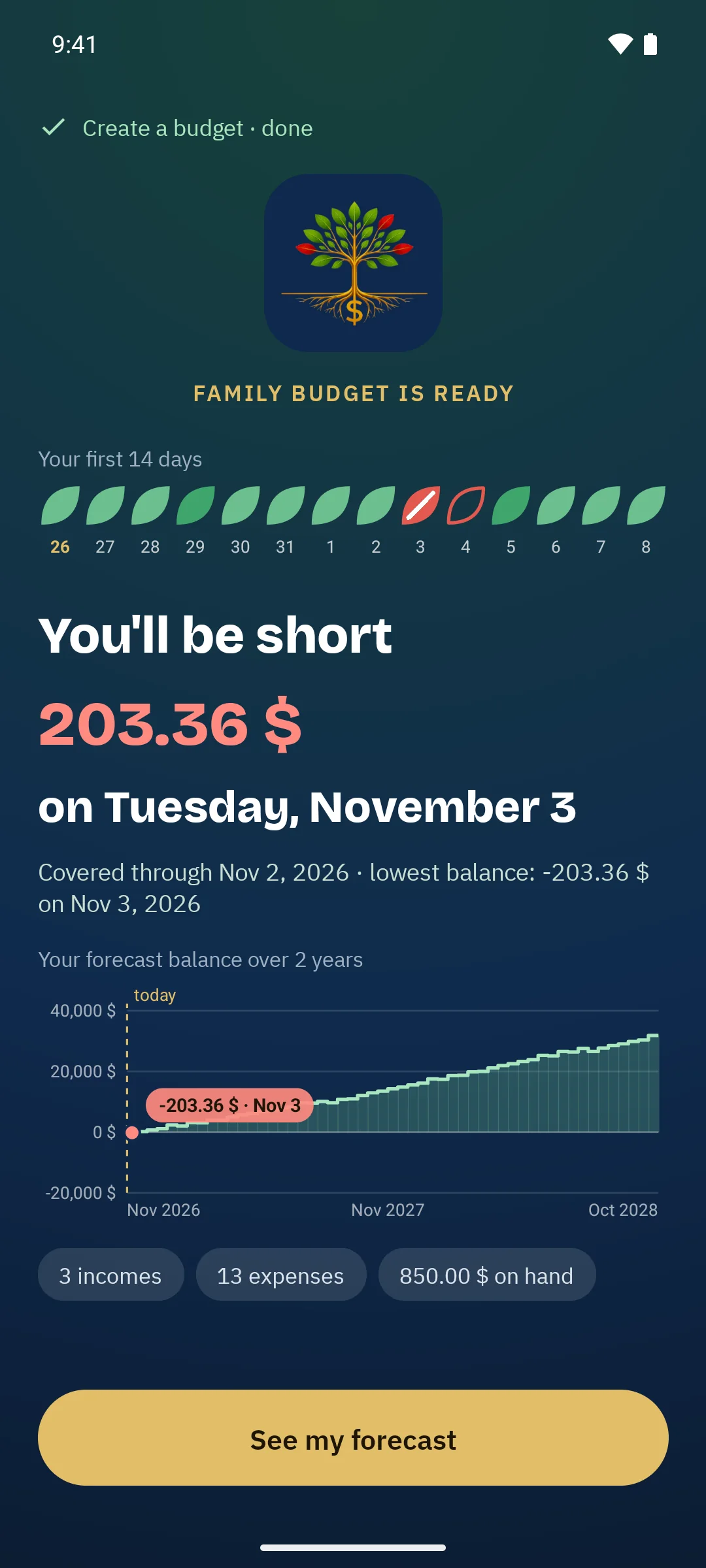
Tree Budget projects your balance day by day. The moment you open it, it tells you whether money will run short, on which day, by how much — and how to avoid it.
The first 3 months of forecast are free. Premium: a one-time purchase, never a subscription.
You'll be short
203.36 $
on Tuesday, November 3
To avoid it
Pay “Roof repair” on Thursday, Nov 5, after “Salary #2” (+1,035.00 $) comes in.
No more shortfall · lowest balance: 174.66 $ on Nov 11
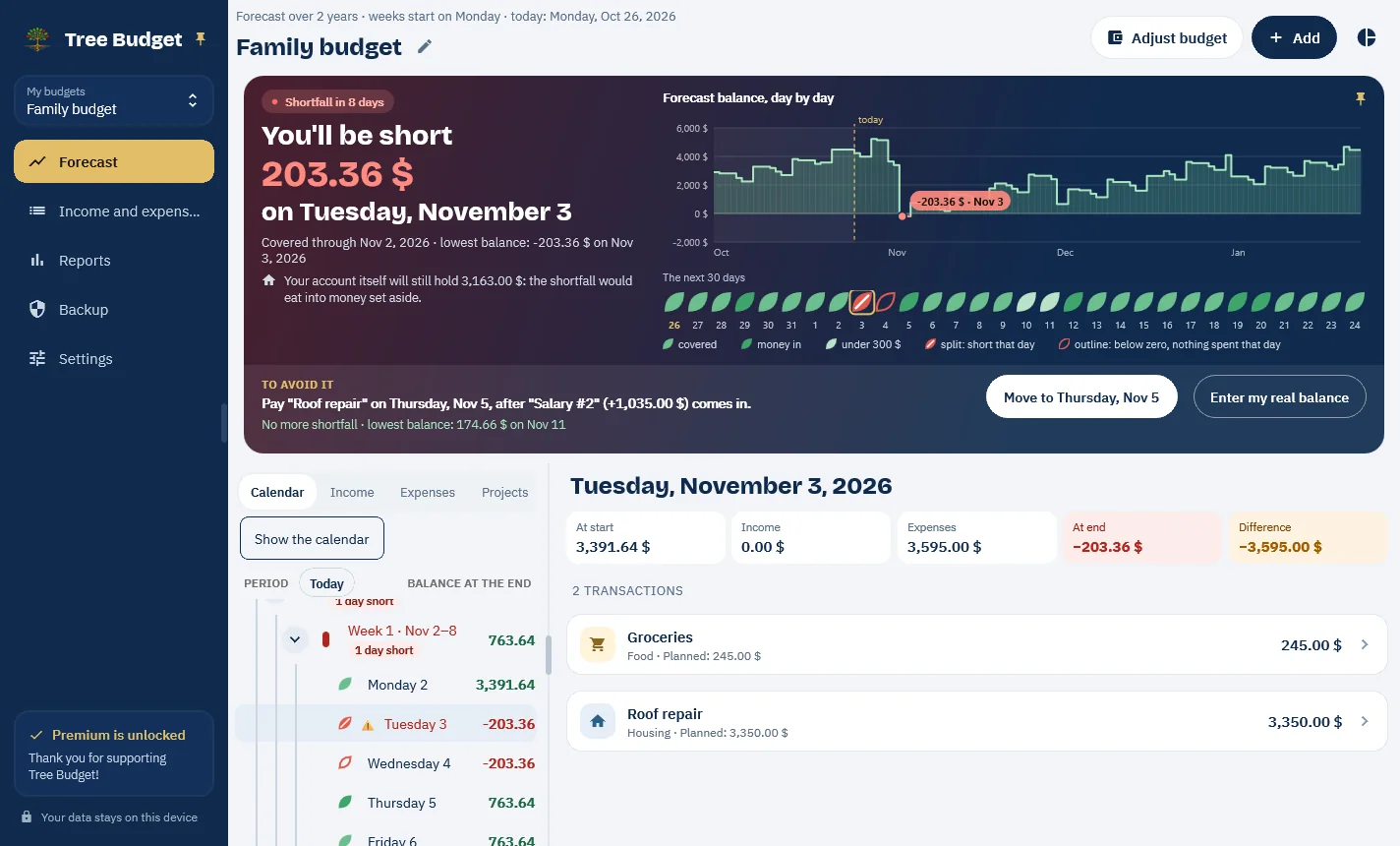
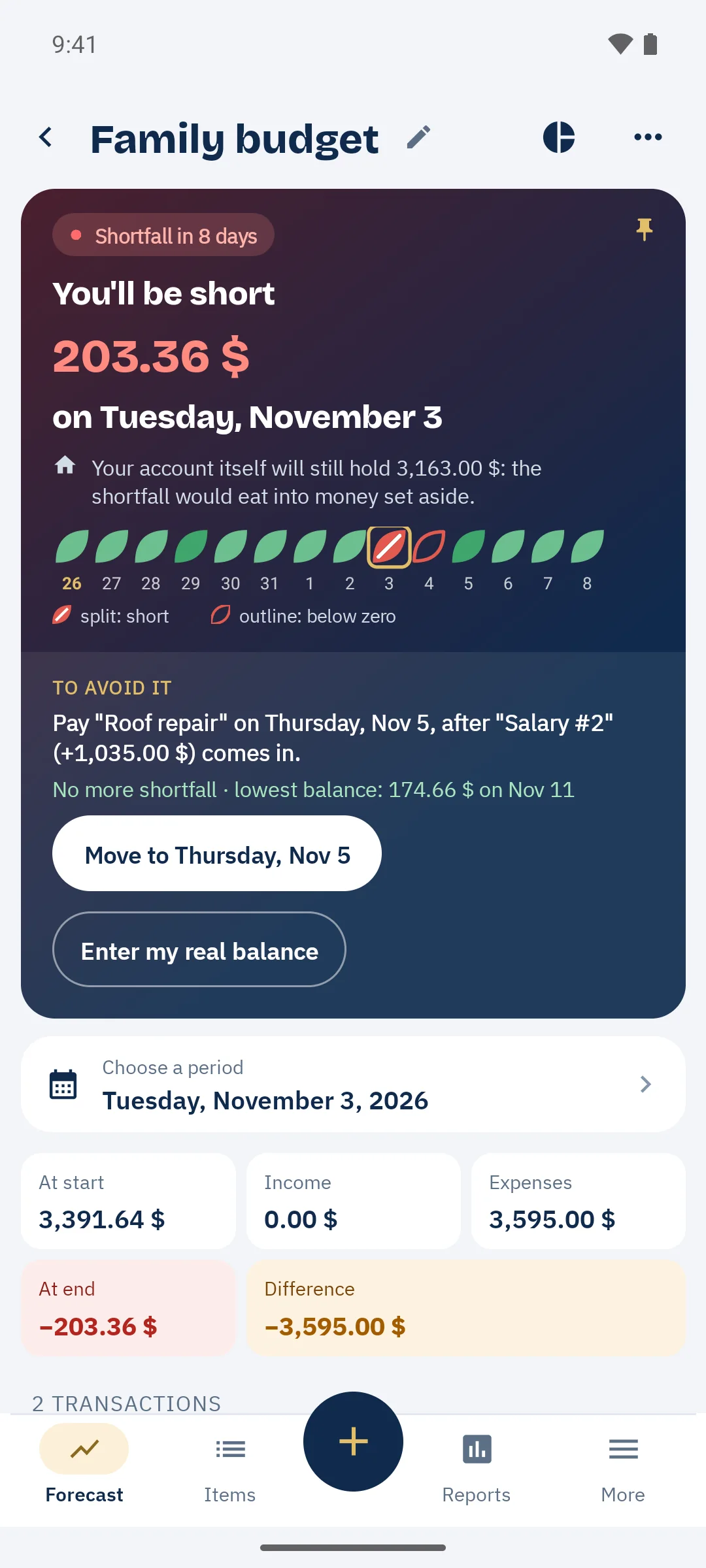
Most budgeting apps sort what you've already spent. Tree Budget tells you what's coming — while there's still time to act.
Tree Budget carries your balance forward day after day and spots the cash gap: Tuesday's groceries landing before Thursday's paycheque. You know the date and the amount, weeks ahead.
When a shortfall looms, “To avoid it” suggests letting one or two expenses wait until the next paycheque. One tap, and the forecast recalculates.
No connection to your bank, no online account, no ads. Everything is stored on your device, and an encrypted backup follows you from one device to the next.
Every day of your forecast is a leaf. At a glance, you see the quiet weeks and the ones to watch.
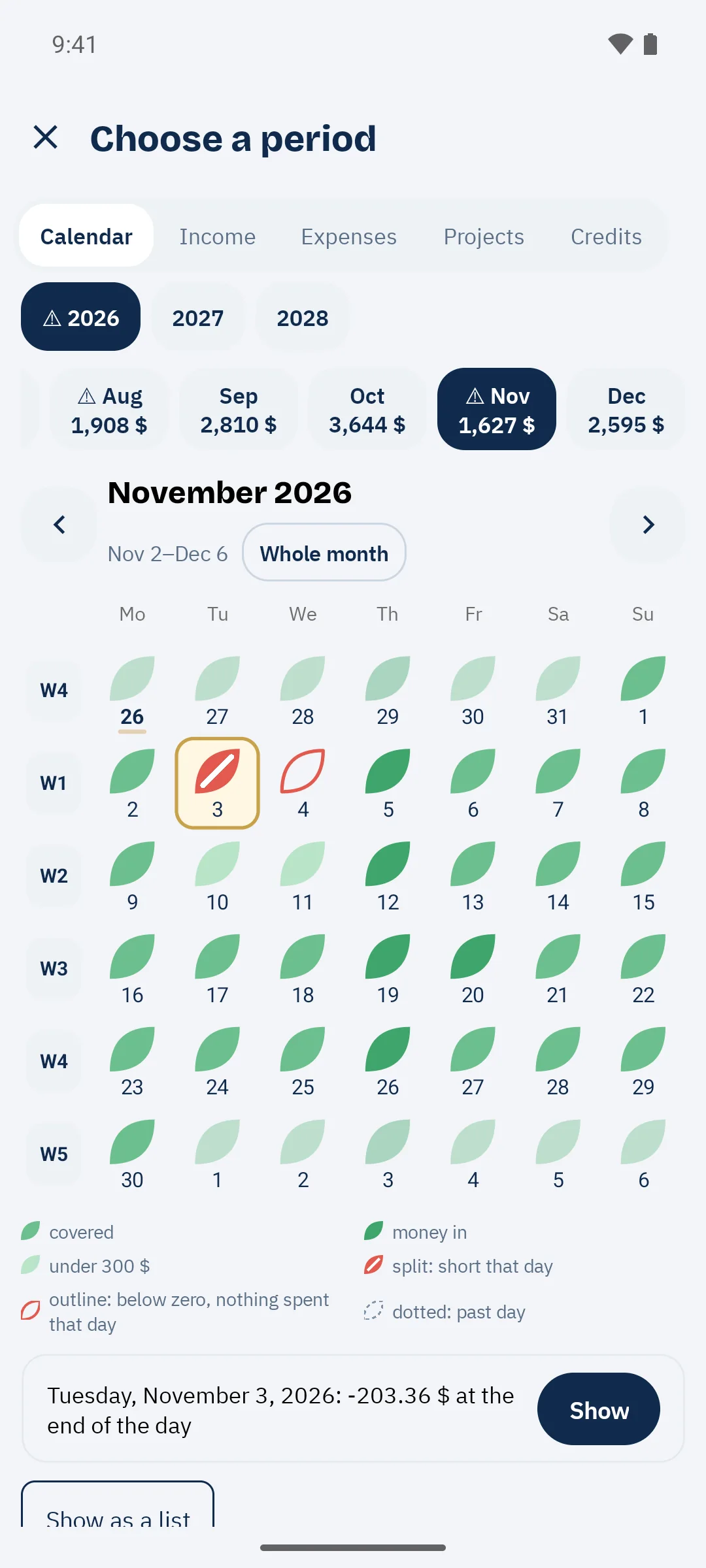
Check “set money aside every week”: Tree Budget spreads the bill over the weeks before it's due. Even a bill due in six months starts getting ready this week.
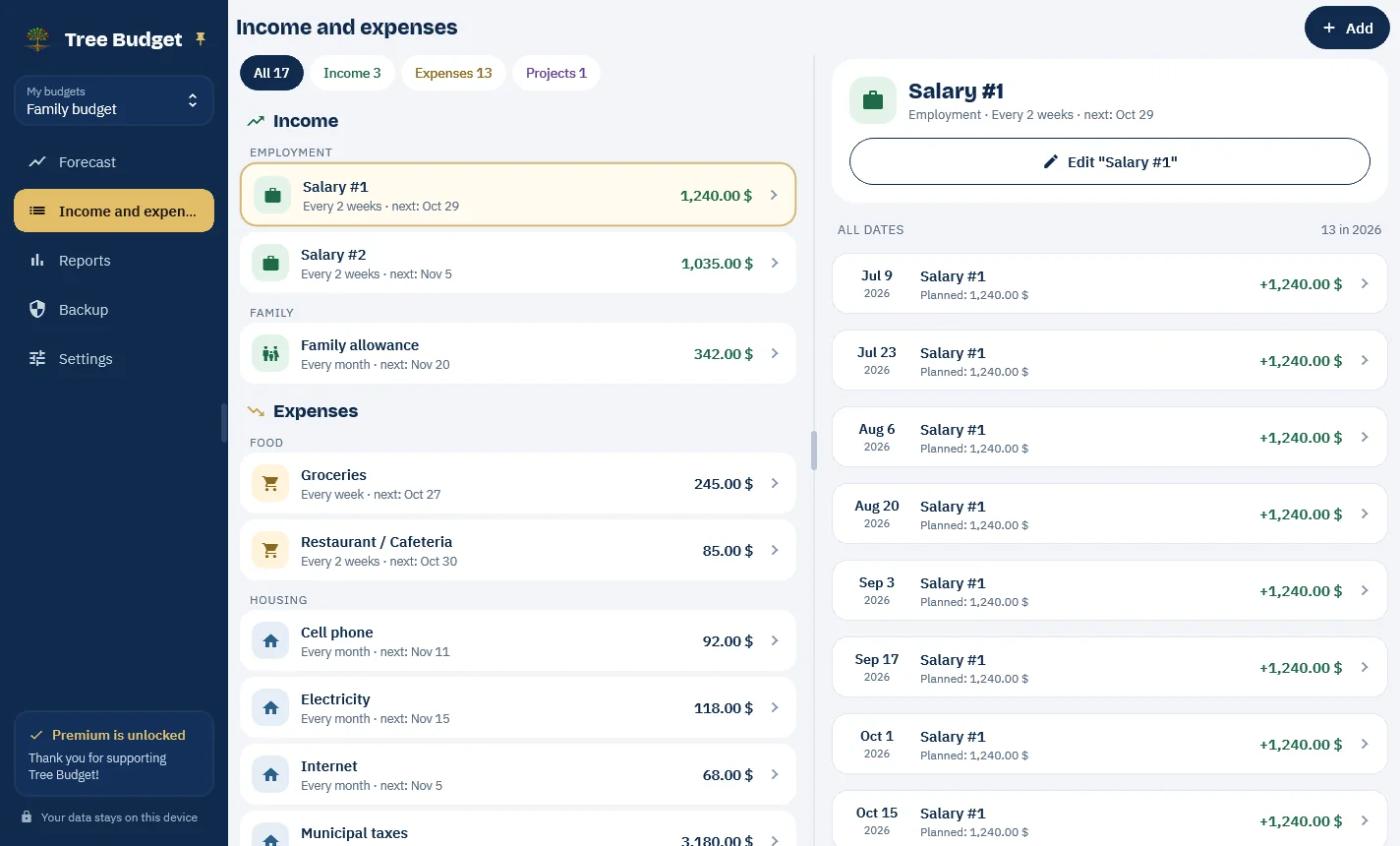
Income, expenses, cards and loans, then the money you have on hand: six steps, and Tree Budget creates all your upcoming transactions. At the end, the answer is already there.
The first three months of forecast are free. With Premium, a one-time purchase, the forecast covers the full length of your budget, and you get the long-term tools.
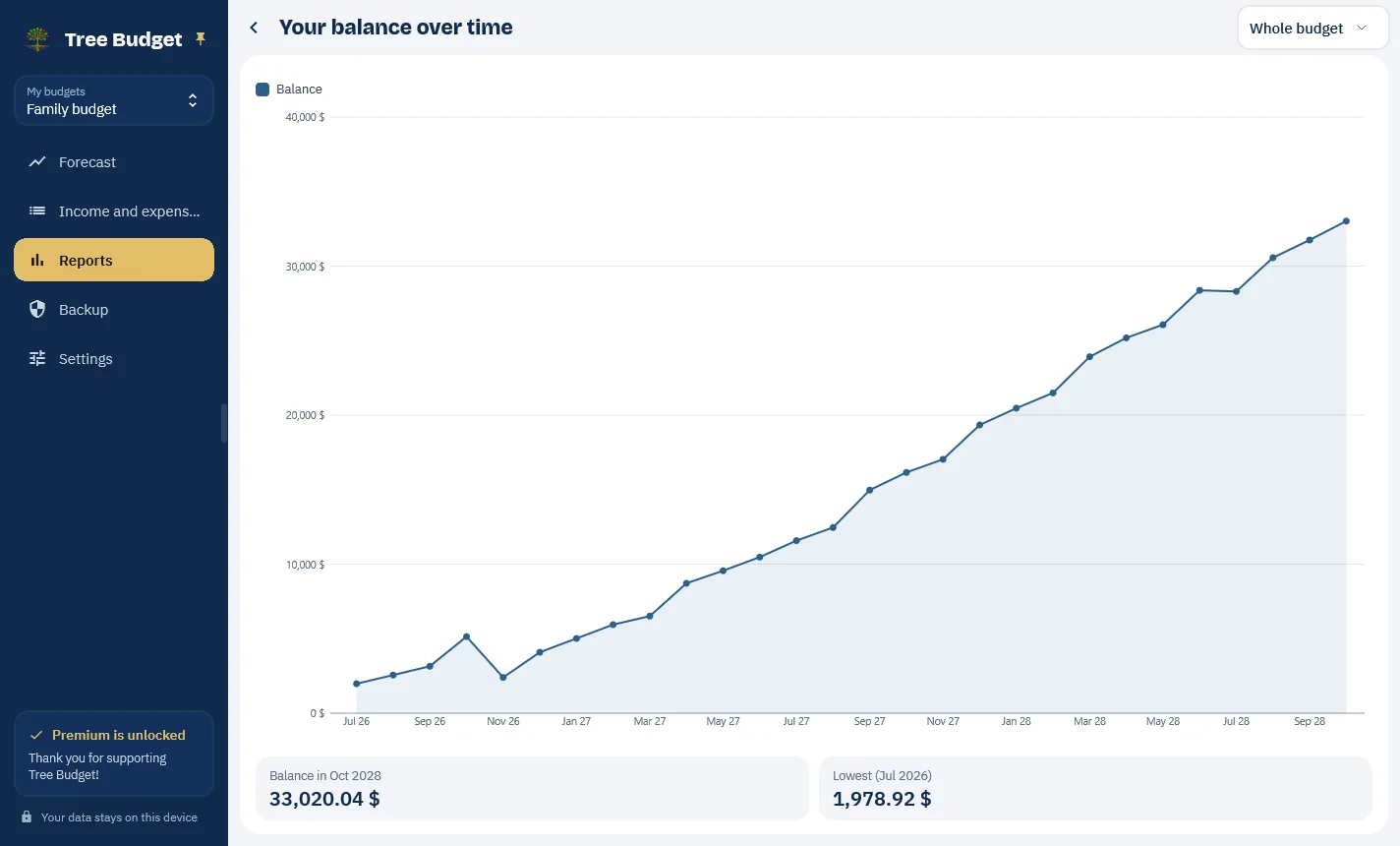
Windows, Android, iOS and Mac. The screenshots follow the page theme; tap one to enlarge it.
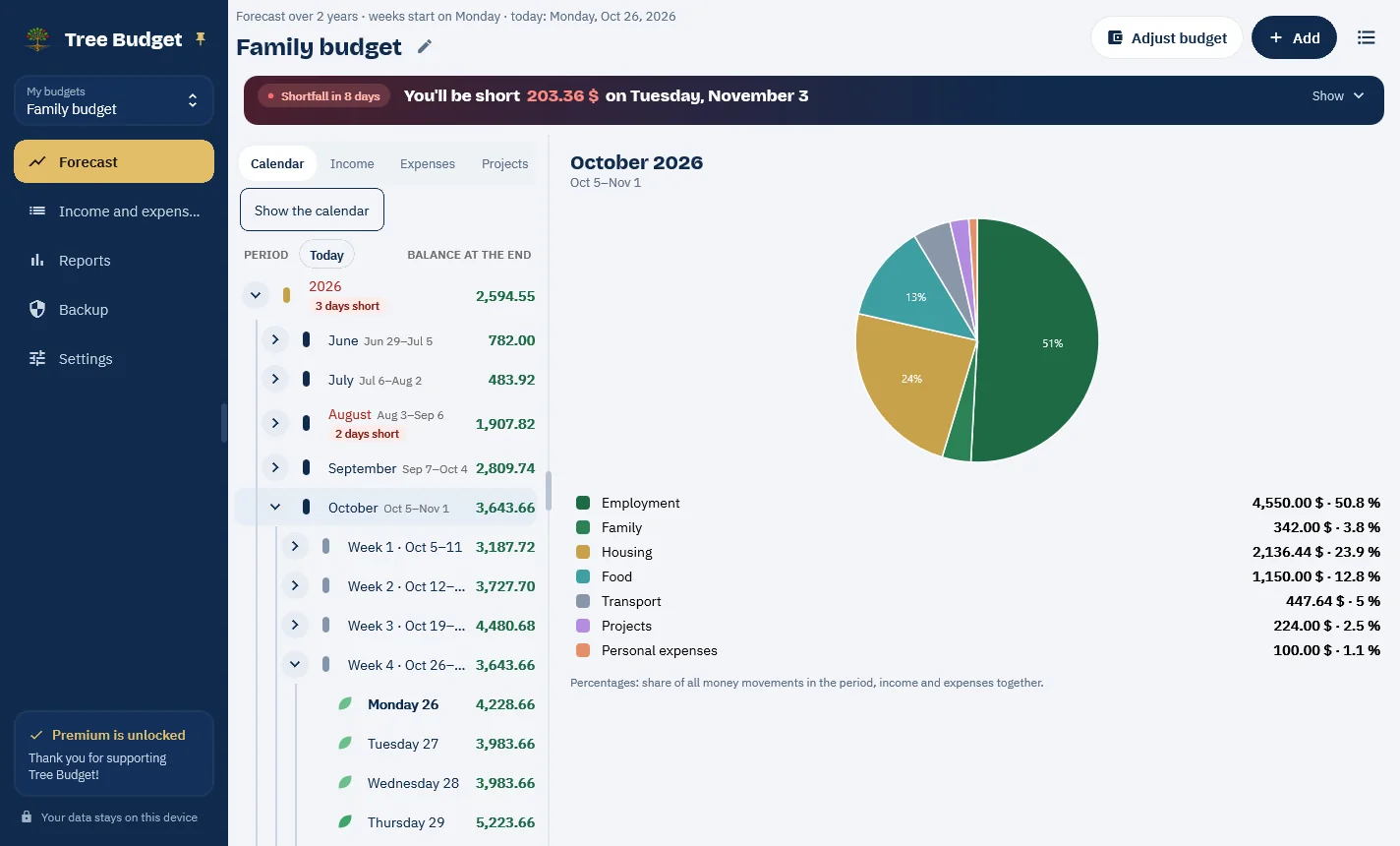
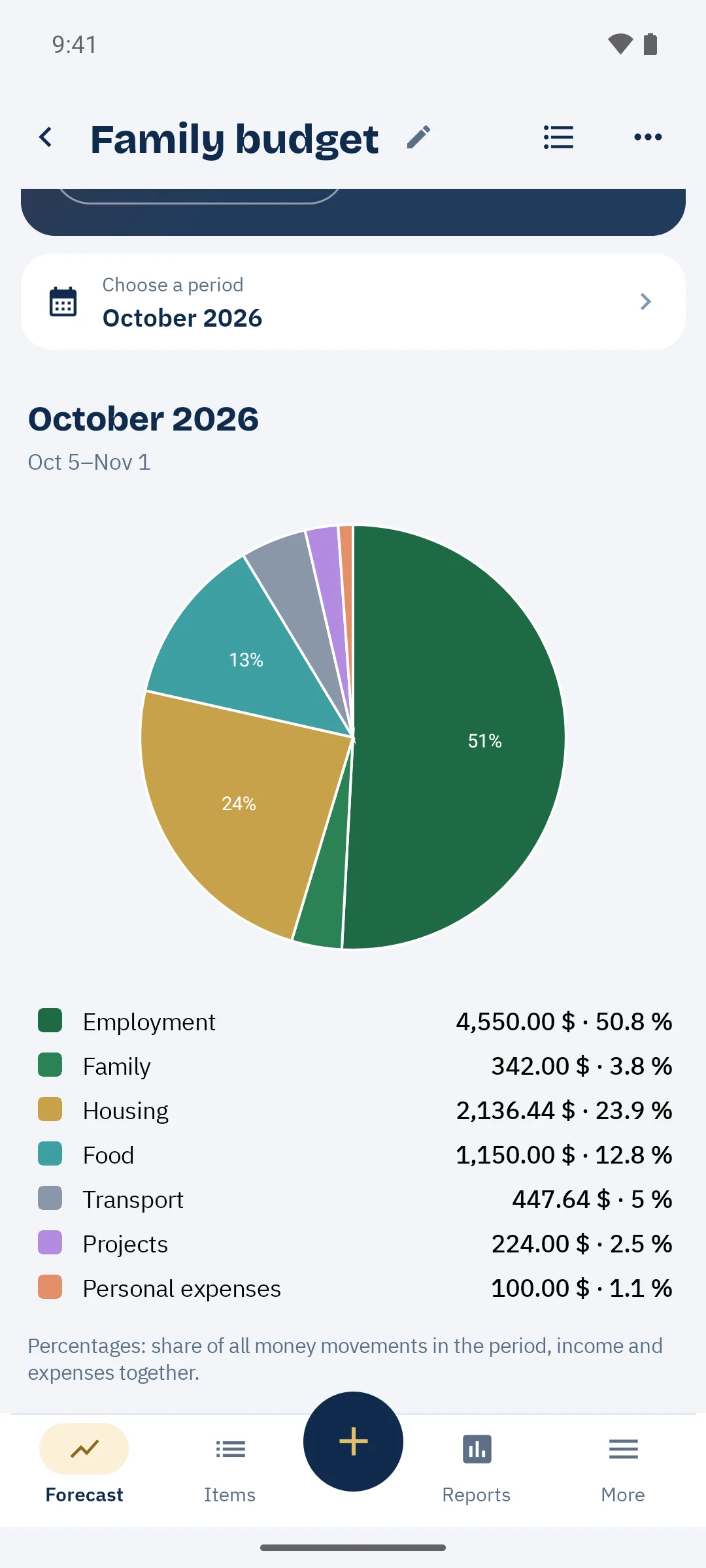
Pick your income and expenses from the catalog, set the amount and frequency. Five minutes is all it takes.
All your upcoming transactions are created for you, with the balance of every day. The moment you open it, one sentence tells you whether everything is covered — or which day it isn't.
Every now and then, enter the amount you really have. The gap is absorbed cleanly, and the forecast restarts from there.
No subscription, ever. Premium is a one-time purchase, made inside the app.
0 $ forever
The whole heart of Tree Budget.
Yours to keep paid once
To see and plan far ahead.
With or without Premium, your data stays on your device, and nothing you've entered is ever locked.
Subscription apps with bank sync sort the past. Tree Budget predicts the future, without asking your bank for anything.
| Criterion | Tree Budget | Subscription apps with bank sync | Home-made spreadsheet |
|---|---|---|---|
| Tells you the day the money runs out | Yes, to the day, weeks ahead | Rarely: they look backward | Only if you build it yourself |
| Connection to your bank | Never | Required, credentials handed over | No |
| Where your data lives | On your device, offline | On their servers | At home |
| Price | Free; Premium is a one-time purchase, no subscription | Roughly $100 to $200 a year | Free, but your time |
| Data-entry time | 30 seconds a week: you adjust the balance | Automatic, but needs recategorizing | All by hand |
| In French | Yes (also English and Spanish) | Rarely | Up to you |
| Cards and loans with payoff date | Yes, interest and net worth included (Premium) | Sometimes | No |
Generic comparison with the most common consumer budgeting apps as offered in 2026. None is named: their prices and features change.
Tree Budget was built on one simple rule: your money, your data. The app works entirely offline and never asks for access to your accounts.
Your budget is saved in a database on your device. Nothing is sent to any server.
No email, no password, no newsletter. Install, budget.
No ads, no hidden analytics, no data resale. Your financial behaviour is not a product — and this website doesn't track you either.
No — by design. No banking credentials to hand over, no sync that breaks, no aggregator fees. You stay in control: Tree Budget projects your budget from your recurring items, and you realign it in seconds with the amount you actually have on hand.
No. Your recurring income and expenses are generated automatically. Add a one-time transaction when it matters, then “Adjust the budget” from time to time with the balance you really have: the gap is absorbed cleanly, no penny-perfect bookkeeping required.
The app is free: one complete budget, the first three months of day-by-day forecast, the “when will I run out of money” card, budget adjustment, the pie chart and encrypted backup. Tree Budget Premium, a one-time purchase made inside the app, adds forecasts up to ten years ahead, unlimited budgets, all eight reports, card and loan tracking, savings projects and yearly maximums. Never a subscription, and nothing you have entered is ever locked.
Yes, with Tree Budget Premium. Each card or loan has its balance, its rate and its recurring payment; Tree Budget computes accrued interest, the projected payoff date and your net worth (cash minus debts). Investments stay outside the app: Tree Budget is a cash-flow planner.
Three things found together nowhere else: a day-by-day projection that tells you when the money will run out, and how to avoid it; a budget you realign in thirty seconds without logging every expense; and no bank connection or subscription, since your data stays on your device. All of it in English, French and Spanish.
Tree Budget ships first on Windows. Android, iOS and Mac versions follow — it's the same app, built on .NET MAUI.
Create a backup from the app, password-protected if you like, and keep it wherever you want: USB key, email, the cloud of your choice. On a new device, restore it in one step. Since nothing lives in Tree Budget's cloud, the backup belongs to you too.

Install Tree Budget and know today what your next weeks will look like.